Contact Data
Part of CRM contacts and account structure
Separating contacts, companies and opportunities
Decide whether CRM information belongs to a person, customer account or separate sales opportunity, using a practical example.
Use a contact for a person, an account or company for the customer unit, and an opportunity for a specific potential sale. Link the records so one customer can have several people and several purchases under discussion without a single record standing for all three.
Decide what the information describes
A facilities manager at an existing customer asks for a proposal for another site. The manager is a contact; the customer is an account. The proposed work may be a new opportunity if it has a separate purchase decision. A change to the manager's job title belongs with the contact; a change to the proposed scope belongs with the opportunity.
Information / Why
- Person’s role or contact details
- It describes the person across conversations.
- Agreed customer unit and account owner
- It describes the continuing customer relationship.
- Proposed scope, deal owner and sales status
- It describes one potential transaction.
These are modelling rules, not mandatory fields in every CRM.
CRM Record Types: Contacts, Companies and Opportunities
- ContactA person (e.g., facilities manager), including their role, contact details, and ongoing relationship with the business.
- Account (Company)The customer organisation, representing the ongoing business relationship, including account owner and key account information.
- OpportunityA specific potential sale or transaction, with its own scope, deal owner, sales stage, and outcome status.
Open a new opportunity for a separate decision
A second enquiry does not necessarily require a new account or contact. Ask whether it has its own scope, decision, owner or outcome.
If it does, a separate opportunity can show those differences. If the enquiry changes an open proposal, update that opportunity and retain its relevant history.
A call is an interaction, not a separate buying decision. At the other extreme, one long-running opportunity should not stand in for every purchase a customer has considered. Once a purchase has an outcome, assess later potential work on its own terms.
How to Assign CRM Records Correctly
- Identify the entityDetermine if the information describes a person, a company, or a potential sale.
- Assess decision independenceAsk whether the proposed work has its own scope, decision-maker, or outcome. If yes, create a new opportunity.
- Update existing records if neededIf the enquiry changes an open proposal, update that opportunity instead of creating a duplicate.
- Avoid overcomplicationDo not treat every call or interaction as a separate opportunity. One long-running opportunity should not represent all future purchases.
Check the links from each record
CRM records can be associated to show relationships between people, companies and potential sales. HubSpot, for example, allows a deal to be associated with several contacts and their company.
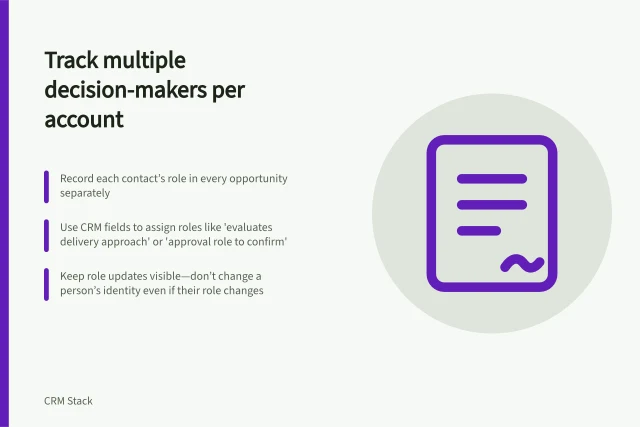
Open the records from each direction: does the contact show the intended customer, the account show each current opportunity, and each opportunity show the people actually involved? For a consultant working with two organisations, check whether the CRM can record both relationships without a duplicate person record.
HubSpot allows multiple company associations, but one company is primary and its default activity rules can use that primary company.
Write one clear boundary rule for each record type. If staff repeatedly cannot place an item, review the rule before adding another free-text field.